

Merit winner, APICTA 2022.

The hotel PMS that closes the loose ends at your front desk
Softinn PMS puts room status, today's arrivals and what every guest still owes on one screen. It also runs a checklist before each check-out, so nobody leaves with a balance open or a deposit unreturned.
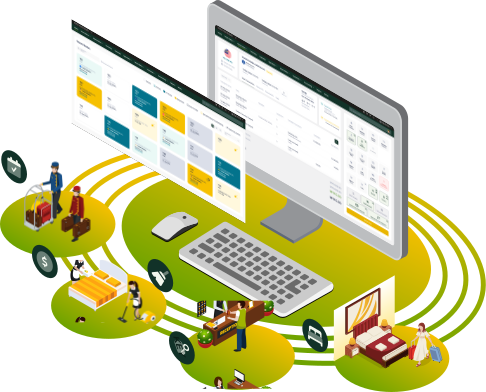
Built around what your front desk checks all day
Which rooms are ready, who's arriving, and what each guest still owes. Softinn PMS keeps the answers on the screen your front desk already has open.
Rooms board
Vacant, arriving, in house, departing, being cleaned or out of order. Every room's state in one glance, with counts at the top.
One screen per stay
Charges, payments, outstanding balance and security deposit side by side, with every front desk action one tap away.
Check-out checklist
Balance, deposit refund, receipts and invoice are checked before the guest goes, not discovered in next month's books.
A calendar that shows what's selling
Available versus selling for every room type and night, with overselling and underselling flagged.
Hotel Performance
Revenue, occupancy, RevPAR, ADR and rooms sold by day, week or month, compared with any earlier period.
Reports by department
Front desk, operations, marketing and accounting each get their own shelf. Star the reports you open every day.
A shift at the front desk
From the 7am room check, through the morning check-outs and the afternoon check-ins, to handing over the cash drawer. Here is each part of the shift in Softinn PMS, or see it from a receptionist's point of view.
Before the first guest walks in, you know which rooms are ready
The Rooms board counts vacant, arriving, in-house, departing, housekeeping and out-of-order rooms at the top, then shows every room as a tile. Small dots on each tile tell you if the room is dirty or being cleaned, has a guest inside, has a check-in and check-out on the same day, or is on Do Not Disturb.
Nobody leaves with a balance open
Guests check out in the morning, before the next arrivals. Total charges minus total payment equals the outstanding balance, shown in red until it's settled. Before check-out, the folio runs a checklist:
- Folio balance settled, or allowed by your policy
- Security deposit refunded
- Security deposit receipt issued
- Payment receipt issued
- Invoice generated automatically at check-out
The gap gets caught at the desk while the guest is still there, not in next month's books.
Know who still owes before they reach the desk
Guest Arrival lists everyone due today with their room, booking source, security deposit and outstanding balance, so you know who still has to pay before they're standing in front of you.
Open the reservation and the dates, rate plan, remarks and folio totals are on one page, next to the buttons for every job: issue the room key, collect the security deposit, take payment, print the sign-in form. Connect your door lock to issue keys, or send a web check-in link so guests fill in their details before they arrive.
Extend, shorten or move a guest without starting over
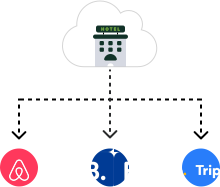
A guest wants two more nights, leaves a day early, needs a second room or wants to change rooms. Do it from the same screen, and the dates, rates and folio follow. If you use Channel Manager, nights a guest gives up (e.g. cancel, forfeit) go back on sale without anyone logging into an extranet.
Hand over the drawer, not a mystery
Every payment belongs to a cashier shift. Plan who's on with Shift Planner, close the shift with the Cashier Report and Shift Report, and the next person starts with a clean count. No more guesswork or disputes between cashiers.

See what the OTAs are still selling, before it becomes an overbooking
For every room type and every night, the calendar shows how many rooms you have available and how many are open for sale on OTAs like Booking.com and Agoda. When the two don't match, it's flagged as overselling or underselling, so you fix it before a guest arrives for a room that isn't there.
Arrivals, in-house guests, departures and rooms blocked for housekeeping or maintenance are on the same grid.
How Channel Manager keeps it in syncHousekeeping isn't at a desk. It's on their phone.
Task shares one system with your front desk, so a room a cleaner marks clean shows up on the PMS Rooms board straight away. Nobody has to radio anyone.
It's a mobile web app at task.softinn.co. It runs in any smartphone browser, so there is nothing to download from the App Store or Play Store and your staff can use their own phones.

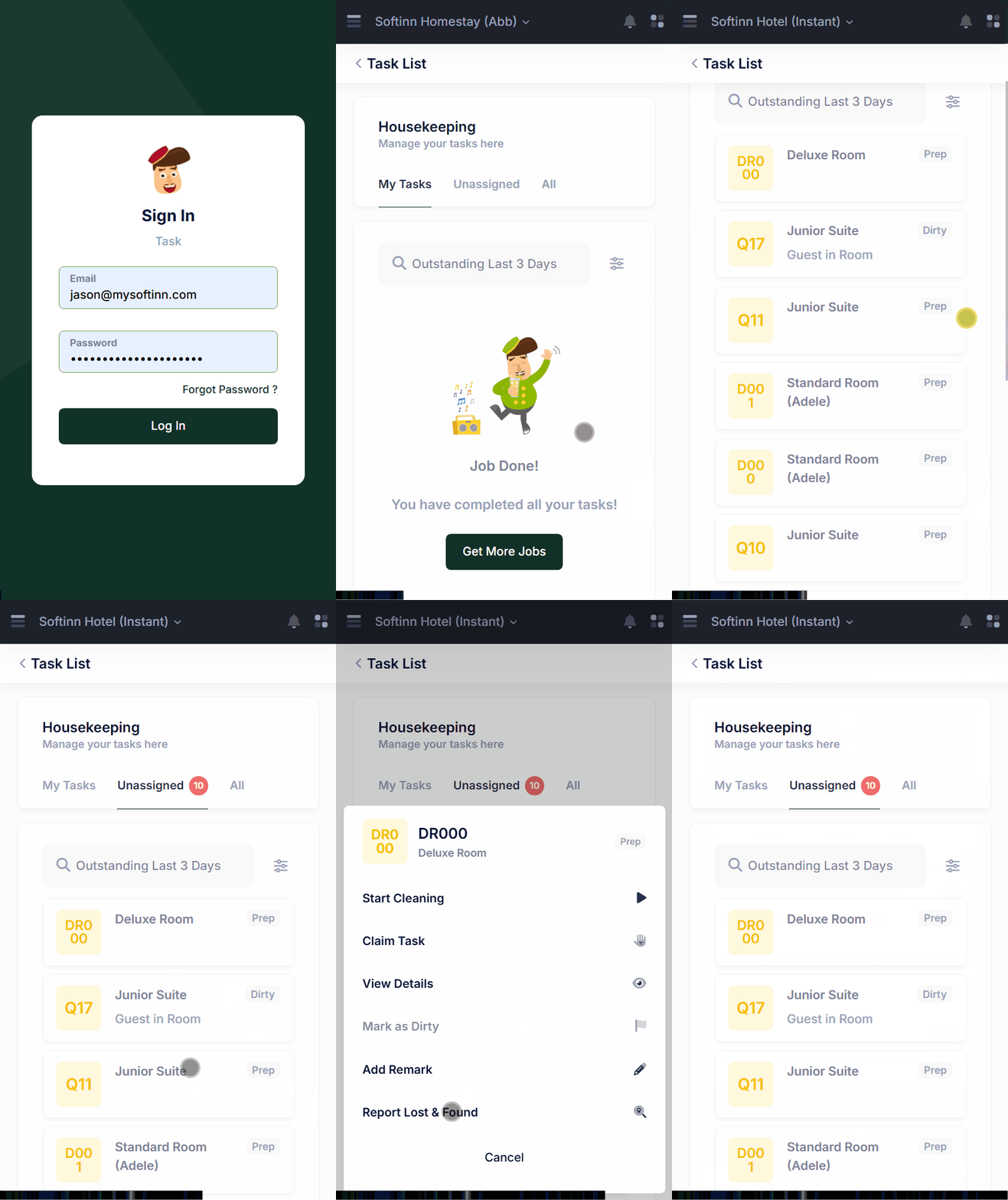


No audio — silent screen capture. · Recorded in September 2026. New features have been added since — start your free trial to explore the latest.
Front desks running Softinn right now.
Not mockups. These are photographs of real properties running Softinn PMS at their front desk today.
-

Parkland Hotel
Staff checking today's arrival list.
-

Sura Inn Hotel
Reviewing guest reservations.
-

Le Shore
Reviewing guest reservations.
-

DnF Boutique Hotel
Reviewing guest folio details.
-

Le Shore
Handling bookings via phone.
-

GG Hotel Bandar Sunway
Reviewing today's bookings.
-

Alun Retreat
Checking the guest reservation list.
-
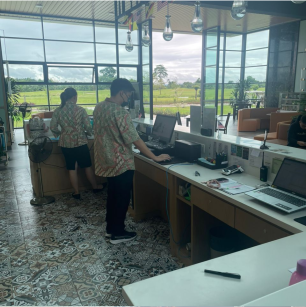
Eastwood Resort
Front desk team setting up PMS.
-

Wellesley Hotel
Checking daily reservations list.
What the owner sees on Monday morning
The numbers you'd otherwise ask the front desk to pull into Excel, already in the PMS. So is the record of who changed what.
Occupancy, ADR and RevPAR without opening a spreadsheet
Hotel Performance shows revenue, occupancy, RevPAR, ADR and rooms sold for any date range, by day, week or month, compared with an earlier period if you want. The daily table breaks out no-shows, day-use, complimentary and out-of-order rooms, so a weak week comes with its reasons next to it.

Reports sorted by who reads them
Front Desk, Operation, Marketing and Accounting each have their own shelf. Star the reports you open every day and they're waiting under Favourites.
Collection Summary, Cashier and Shift reports, No-Show, Revenue & Forecast, Booking Lead Time, Room Usage, Booking Source Performance, Guest by State & Country, Tax Detail, Guest Ledger, Advance Deposit Ledger, Outstanding Balances, Payout and Accounting Export, among others.

The books start at the front desk
Invoices, receipts, advance deposits, expenses, tax and your chart of accounts live in the PMS Accounting menu. LHDN e-Invoice and consolidated e-Invoice are built in, and guests can request their own e-Invoice through a link. When the month closes, export to your accounting software.

Who did what, and when
Rate changes, payment edits, room moves and cancellations are all recorded in the Activity Log with the user and the time. When a number looks wrong, you don't have to ask around.

Each role sees its job, owners see every property
Set what each role can see and do, so the night auditor isn't editing rates and the cashier isn't in the chart of accounts. Running more than one property? Switch between them from the top bar without logging out.

Where hotels quietly lose money
Unrecorded cash, a key issued without a reservation, a deposit nobody refunded, a rate nobody approved. Each one has a control in Softinn PMS, so the money that comes in is the money you see.
Keys only from a reservation
Staff can't issue a room key without a registered reservation, so there are no off-the-books stays.
Every payment belongs to a shift
Cash is counted against the cashier who took it, and the Cashier Report closes each drawer.
Deposits kept apart from payments
Security deposits in hand are tracked separately, with their own receipt and refund, so they never quietly become revenue.
Outstanding balances, in one report
See every folio that still owes money, alongside the Guest Ledger and Advance Deposit Ledger.
Every change logged
Discounts, rate overrides, room moves and payment edits carry a name and a time in the Activity Log.
Your data, backed up
Softinn runs on Microsoft Azure and handles over 20 million actions a day, with SSL encryption, role-based access, automated backups and geo-redundancy.
Also in Softinn PMS
Group folio
One folio across every room of a tour group or wedding party.
Guest & company profiles
Corporate accounts, returning guests, and tags you define to group them.
Web check-in link
Guests fill in their details before arrival, so the desk only hands over the key.
e-Invoice guest link
Guests who need an LHDN e-Invoice request it themselves.
Lost & Found
Record found items in the PMS instead of a notebook at reception.
Search everything
Find a guest, invoice or receipt from the search bar at the top of every screen.
Connected with the Tools You Already Use
Sync Rates & Availability
Automatically update your rates and inventory across your OTAs. Stay in control and avoid overbookings.

SiteMinder

STAAH
Sync Invoice
Automatically export journal transactions, invoices, and payments to your accounting software — saving time on manual bookkeeping and speeding up monthly closings.

QuickBooks

UBS

SQL

Q3F Aurelia

QNE

AutoCount

Bukku
Collect Guest Payment
Collect and track guest payments in one place.

Midtrans

PayPal

Billplz

ADAPTIS

DOKU
Manage Smart Door Lock
Assign and revoke guest room access codes from the PMS. Secure, contactless check-ins made simple.

Intego

Orbita

LEVEL

TTLock
Connect Softinn with the systems you already use, only where it makes the experience better. Click to see the full list of integrated systems.
Struggling to hire for the night shift? Let a kiosk take the 3am check-in.
Save on staff, not on service.
Specially Made for
Hotel Chains
We serve many local branded hotel chains that operate more than 5 properties.
Learn More


Stay Compliant with LHDN E-Invoice
Integrated with LHDN's MyInvois platform, ensuring a smooth transition to the new tax compliance requirement.
A good day for everyone in the hotel.

Hotel Manager
Parkland Hotel Cameron Highlands
Pleased with the service provided by Jee Shen and team. Very professional and open to feedback and always provides solutions for our self check-in kiosk.
Resort Owner
Alun Retreat
Using the Softinn System is very convenient for the resort in handling guest check-ins and check-outs. It's easy to use and simple to learn for first-time users. Highly recommended!
Hotel Assistant Manager
The Great Hotel Ipoh
This software has greatly reduced the workload for the HR department and helped resolve issues more efficiently. The management team also responds in a timely manner. It would be even better if there were a mobile app available.
Softinn's reply:
We built it. Softinn Task is a mobile web app for housekeeping and maintenance — room status, task lists, and Do Not Disturb from the phone, no App Store download. See Task →
Hotel Manager
Sura Inn Hotel
Softinn definitely helps save time and makes work easier for the whole operational team — from Front Office and Housekeeping to Management, Auditors etc.
Hotel Director
D&F Boutique Hotel
They provide the basic software hoteliers need. It's easy for front office staff to use and pretty straightforward. Another thing would be the simple website template which gives us a platform to provide more info to the public & another channel. They also constantly update & innovate new features of their software.
Hotel Manager
D&F Boutique Hotel
Softinn is simple, reliable, and designed with hoteliers in mind. It makes daily operations easier and helps improve both efficiency and the guest experience.
Opal
Guest of The Concept Hotel KL
Safe and cheapest option for nights, stay, this hotel is must be on your list. The staff is professional and easy to deal with.
Yihyi Hwang
Guest of Alun Retreat
A perfect place for family break! The hotel staffs are polite and helpful from booking
Chee Lily
Guest of Wellesley Hotel
The check-in and check-out process was smooth, and the staff were friendly and professional. I felt safe and well taken care of throughout my stay.
Zuliana Masri
Guest of Eastwood Valley Golf & Country Club
It was more than sufficient for our purposes - the room was clean, there was a hot shower and check in check out was easy breezy
Amy Ngooi
Guest of Fu Hotel
Check-in and check-out were smooth and hassle-free. The staff were friendly and always ready to help. Will definitely revisit!
Evelyn Ng
Guest of Sugeh Hill eco Resort
Safe and cheapest option for nights, stay, this hotel is must be on your list. The staff is professional and easy to deal with.
Eddie Wong
Guest of Snooze Too Hotel
This hotel is very amazing. Feels like at ur own home. A lot of amenities provided and reasonable price. But parking space is very hard to find and this hotel room starts at level 3&4.. no lifts. Staff is very helpful. The self check in / out is superb easy..
Kw Lee
Guest of D&F Boutique Hotel
The staff were exceptionally welcoming and accommodating, making the check-in process smooth and hassle-free
Suhaimi Yahya
Guest of Parkland Suites
Highly recommended for family trips or honeymoon trips because the place is so private. There's parking and a self-check-in kiosk that's very easy. 10/10. Lurveeee
Adam's Works Space
Guest of The Great Hotel Ipoh
Stayed for a business trip. It was very nice, especially the hot shower, great water pressure, very comfortable, the bed is so comfy. Definitely will come again
MS
Guest of Sura Inn
Nice and clean place, with a friendly owner. If you travel with a bicycle there are poles to lock the bicycle and the neighbourhood looks safe.
Sherly L
Guest of GG Hotel Bandar Sunway
Great hotel to stay. Modern look. They have ps4 and all the netflix available at the lobby.
What pairs with PMS
One system for every stay. Most hotels start with PMS and add the rest as they need it. See pricing for what each one costs.


Join an Online Product Demo
Sit back and watch a live demo of the Hotel Property Management System with other hoteliers.
(a 20–30-minute online session)